Case study 01 / 03UX · UI · Design system

DrukKsiążek24

E-commerce2026

DrukKsiążek24 is an online book printer. Authors configure their book themselves and see the price straight away, and the print house handles the orders in one panel.

The DrukKsiążek24 book configurator in a browser window and on a phone, on a dark background

Client
Mazowieckie Centrum Poligrafii
My role
UX/UI design
Timeline
2 to 3 months, 2026
Scope
Store and configurator / Checkout, files and tracking / Admin panel / Design system / Polish, German, French

(01)

The project

Context

Mazowieckie Centrum Poligrafii is a digital print house in Marki, near Warsaw, that sells book printing from 10 copies through DrukKsiążek24.

Its old store ran on a ready-made template. The new one had to match the largest online print shops in Poland and reach markets abroad.

The project covered the whole path of an order, from choosing a book to delivery, and the panel where the print house handles it.


(02)

The problem

Problem

A book has dozens of print parameters. The customer usually chooses them once, and the print house works with them every day.

Paper, print, binding and lamination limit each other, and each of them changes the price. Files can be rejected, and the deadline counts from the day they are accepted. The old calculator left all of this to the customer in one long form.

Constraints

  • Six bindings with their own page ranges and options
  • A price tied to every parameter, the print run and the deadline
  • Files come after payment and may need a correction
  • Three markets with their own language, currency and taxes
  • The same components for the customer and the staff

(03)

Approach

Process

  1. 01

    Structure

    Map of the store, the customer account, the panel and the content pages.

  2. 02

    Flow

    The sales process end to end, and every order status.

  3. 03

    System

    Shared components and styles for the store and the panel.

  4. 04

    Screens

    Store, configurator, checkout, account and admin panel.

Diagram of the sales process in four lanes, from finding the shop to receiving the book
Fig. 01Sales process: what the customer does, which screen they are on, what the system and the print house do.
Sitemap of the store with six groups of pages
Fig. 02Sitemap and routes.
Diagram of order statuses and the timeline the customer sees
Fig. 03Order statuses, from payment to delivery.

(04)

Key decisions

Decisions

The price in view at every choice

Context
Almost every choice changes the price, and the old calculator showed the total only at the end of the form.
Decision
Step one is now the print run and the shipping date. A panel next to the form lists seven print runs with the net, gross and per-copy price, and the total and the cart button stay in a bar at the bottom. When a book cannot be priced, the reason stands where the price would be, with a way to ask for a quote.
Trade-off
On a phone the bar holds only the totals and one button, and the cost breakdown sits in the details.
The old calculator with three columns, parameters, print run and order summary
Fig. 04Before: parameters, print run and summary in three columns.
The new configurator with the form on the left, the price table on the right and a price bar at the bottom
Fig. 05After: the form on the left, prices on the right, the total in a bar.

Print terms explained at the point of choice

Context
A first-time author does not know what 4+0, PUR or a bleed is. The old form offered these terms in bare lists.
Decision
Options you can see have photos, and fields have a short hint with a link to the guide. An option that does not fit the book stays visible but switched off, with the reason under it. One click fixes a wrong page count, and the spine width is calculated automatically.
Trade-off
Each language has 105 hints to keep current, so the print house edits them in the panel.
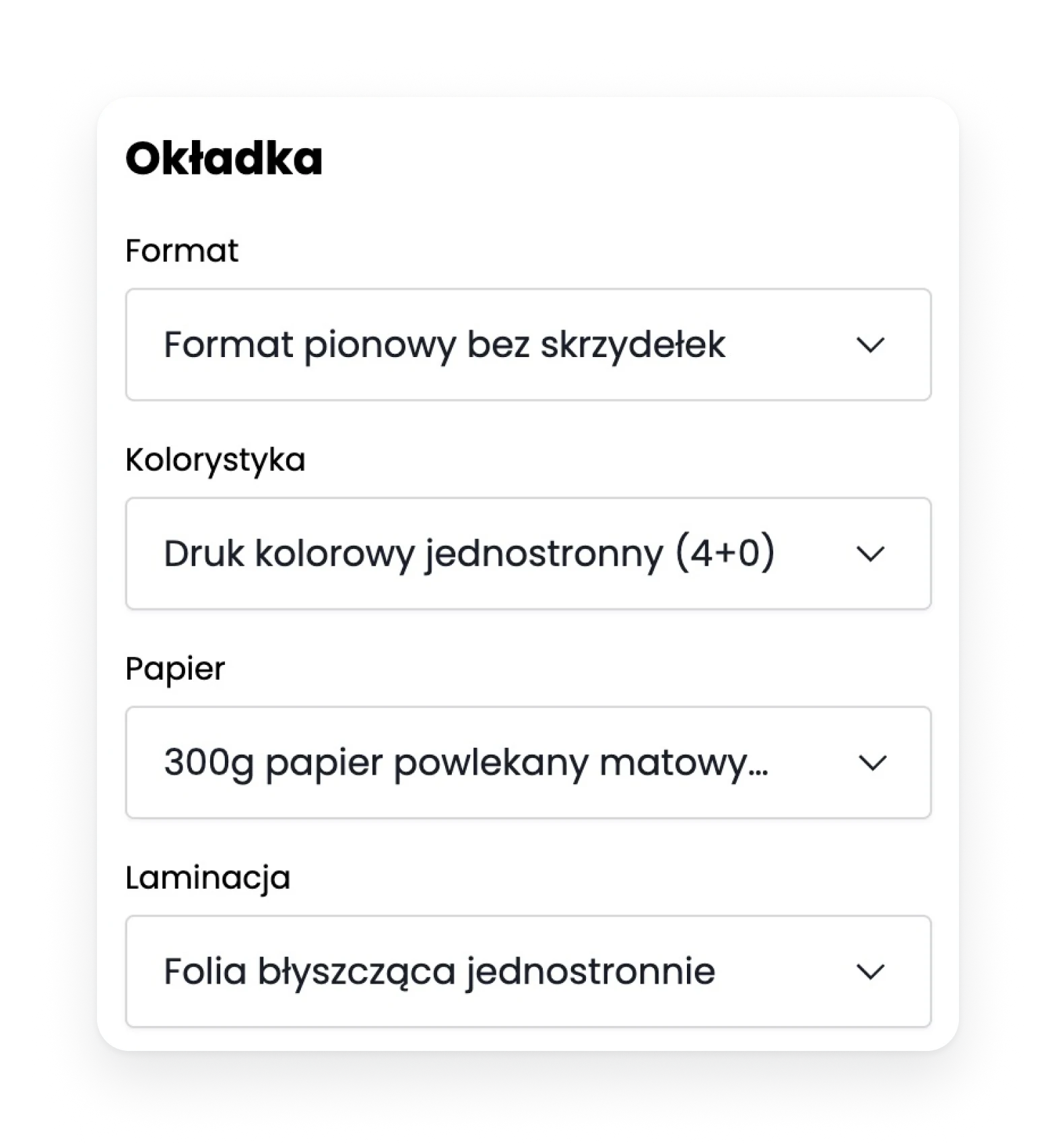
A column of dropdowns from the old form, labelled with print terms
Fig. 06Before: dropdowns with print terms.
Step two of the new configurator, with print options shown as photo tiles
Fig. 07After: step 2 of 4, print options in photos with a plain explanation.

Order first, files later

Context
After payment the files still have to arrive and pass a check, and the print deadline only starts once they are accepted.
Decision
Checkout works without an account. After payment the customer uploads the interior and the cover into separate slots, which show whether a file is being checked, accepted or rejected. A rejected file comes back with a reason. The sentence saying the deadline counts from file acceptance repeats at every step.
Trade-off
Paying before the files are checked asks for trust, so until the files are accepted the order can be cancelled with a refund.
Three states of a file slot, empty, uploading and being checked
Fig. 08File slot: missing, uploading, being checked.
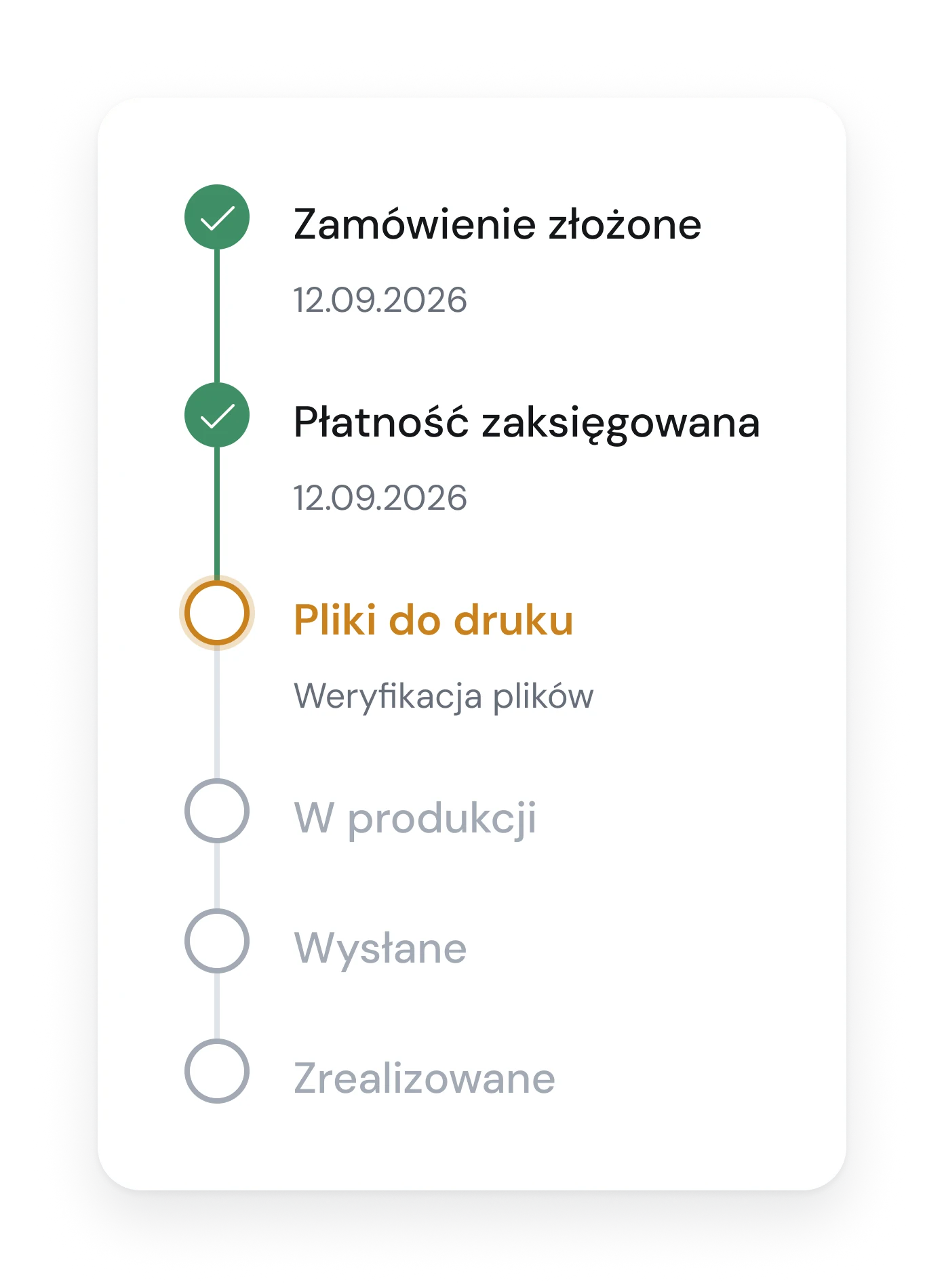
Order timeline with six steps, from order placed to delivered
Fig. 09Order timeline as the customer sees it.

A panel made of the same components as the store

Context
The customer comes once and fills in one field at a time, while the staff look at rows of orders all day.
Decision
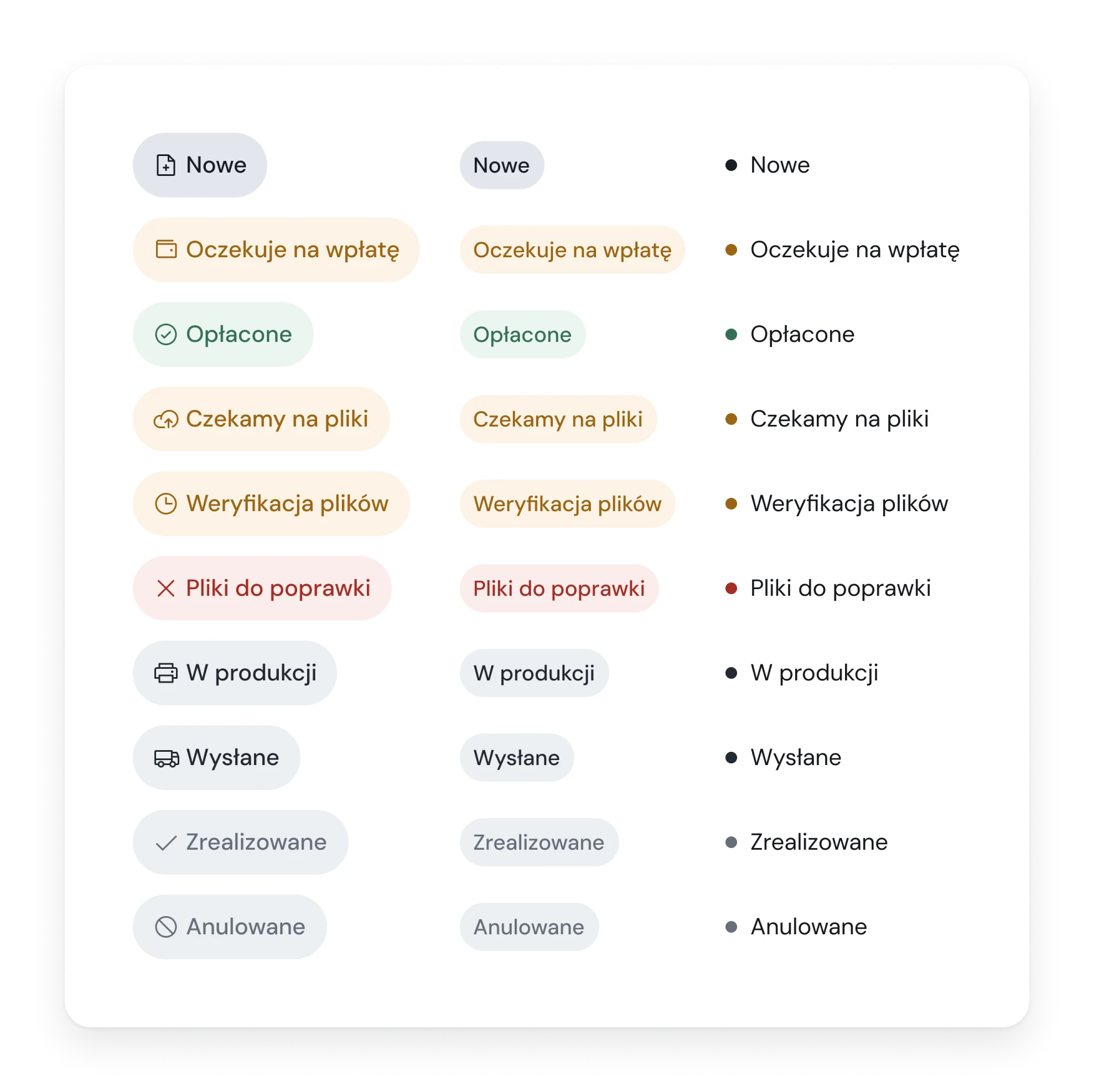
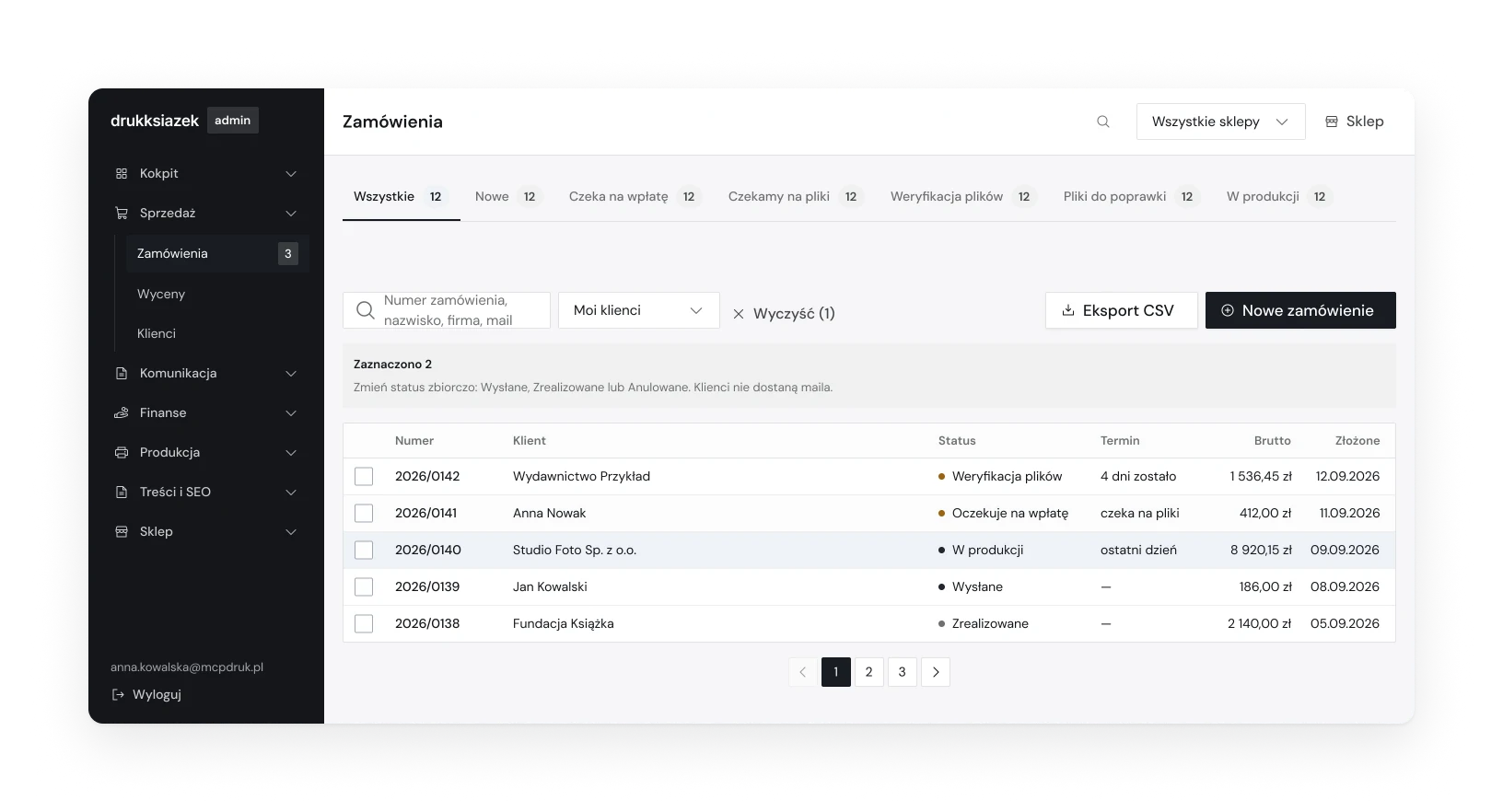
The panel uses the store's components in a second mode, with smaller controls and no shadows or animation. In a table a status is a dot and a word, because a column of filled badges turned into a wall of colour. Orders move on by themselves after a payment or a file, so the staff are left with two manual steps.
Trade-off
Every component has to work in both modes and is checked in both.
Order status badges in three forms, filled with an icon, quiet, and a dot with a word
Fig. 10One status in three forms, the dot with a word goes into tables.
Orders list in the admin panel with a dot and a word for every status
Fig. 11Orders in the panel, each status shown as a dot and a word.

One store for Poland, Germany and France

Context
The print house also wanted to sell in Germany and France, where currencies, taxes and the rules for showing prices differ.
Decision
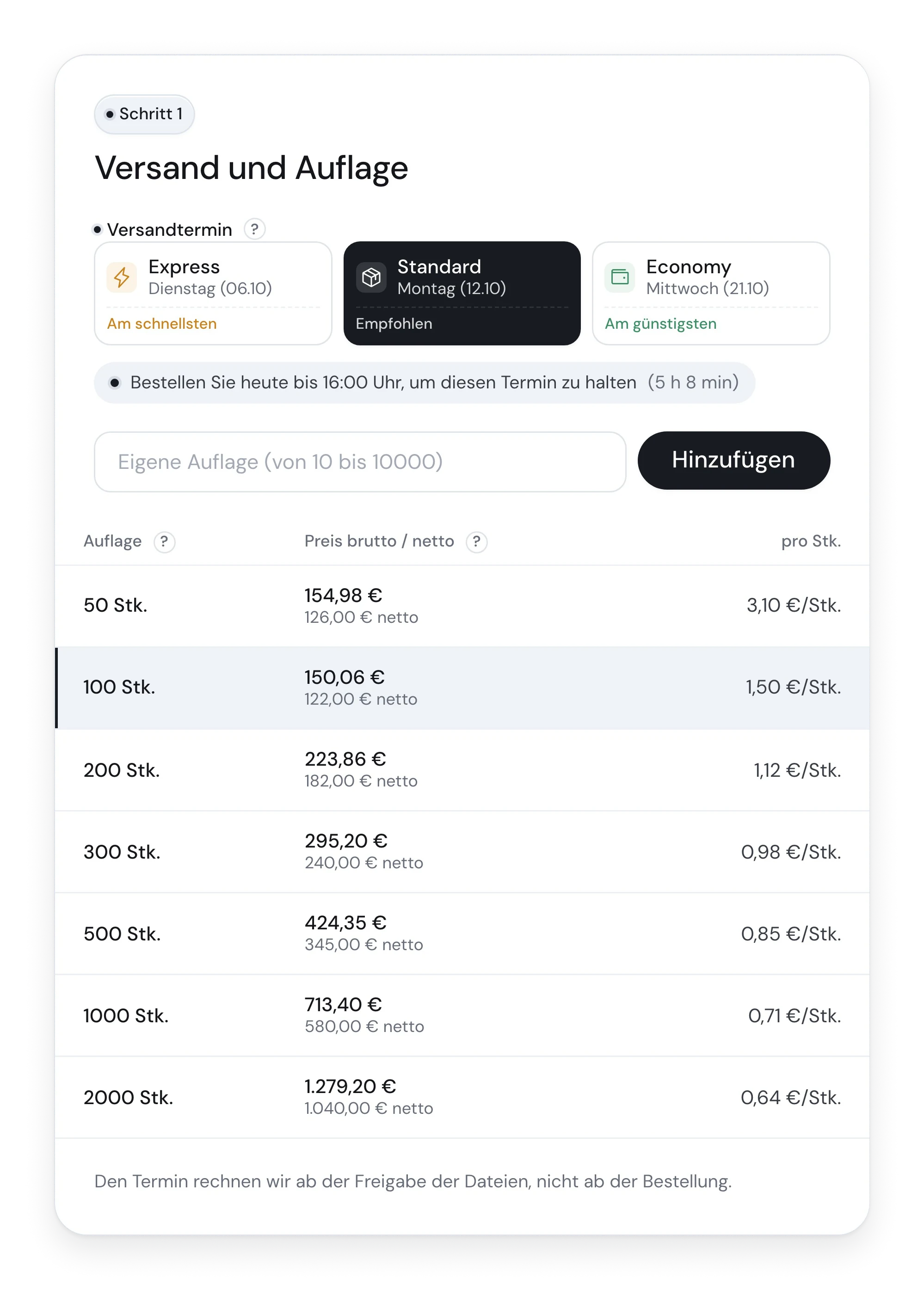
There is one store, and it recognises the market by the page address. In the German and French versions the gross price comes first, the tax number field carries the name used in the buyer's country, and page addresses are translated. The price list is converted from the Polish one at an exchange rate.
Trade-off
A missing translation shows in Polish on purpose, so the print house notices the gap and fills it.
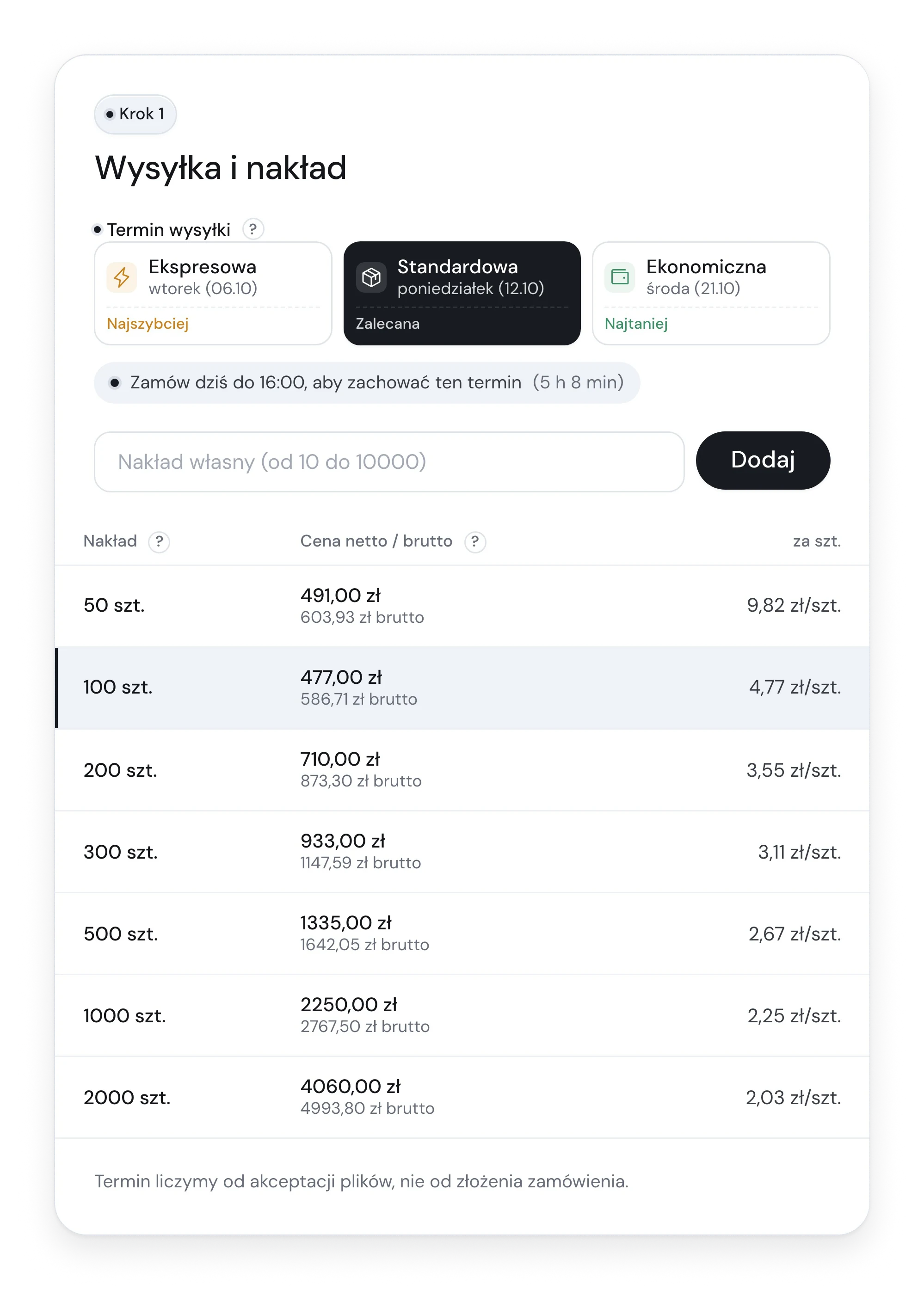
Print run table in the Polish shop with net prices in złoty
Fig. 12Poland: net price leads, in złoty.
The same table in the German shop with gross prices in euro
Fig. 13Germany: gross price leads, in euro.
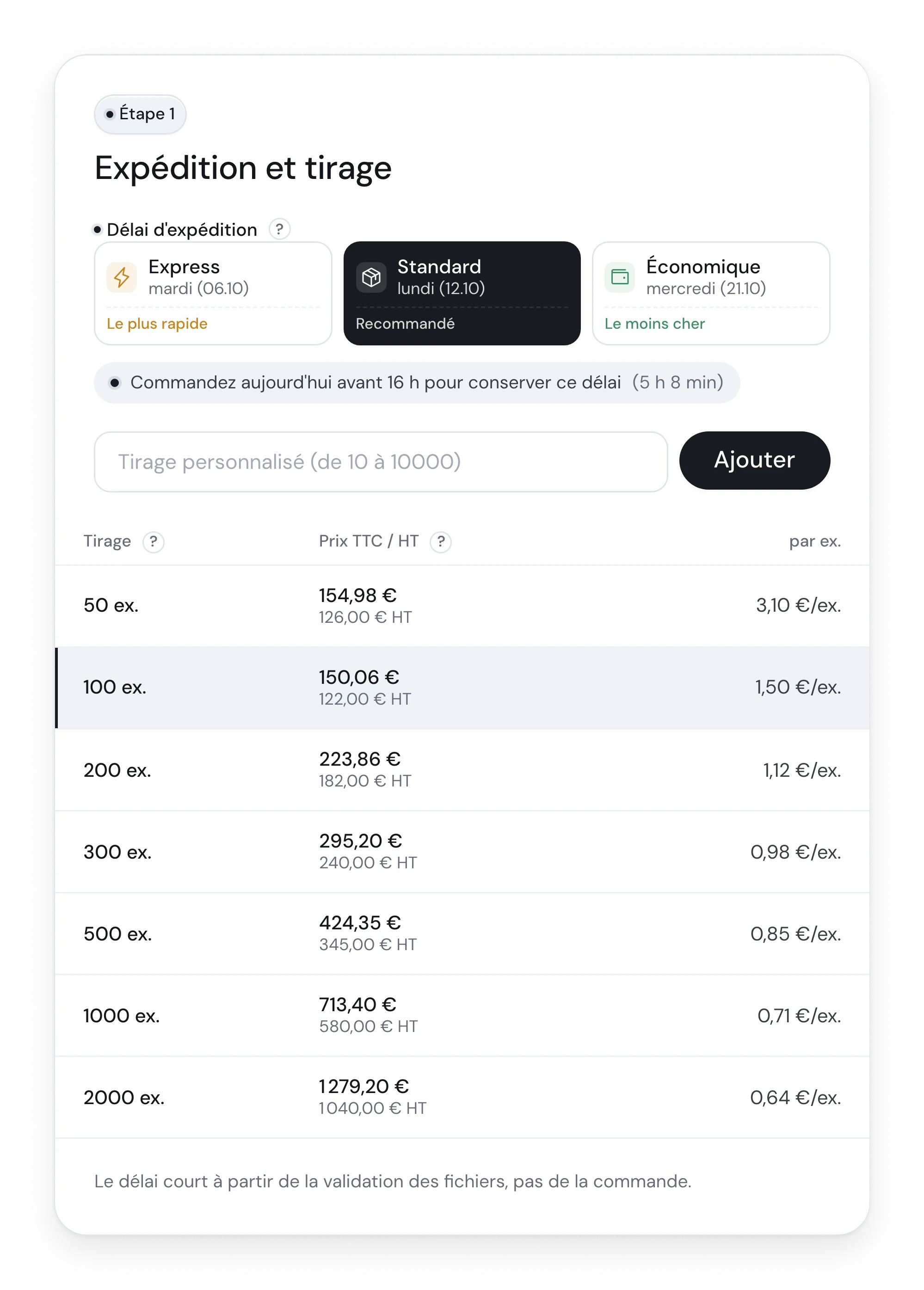
The same table in the French shop
Fig. 14France: the same panel in French.

(05)

Design

Visuals

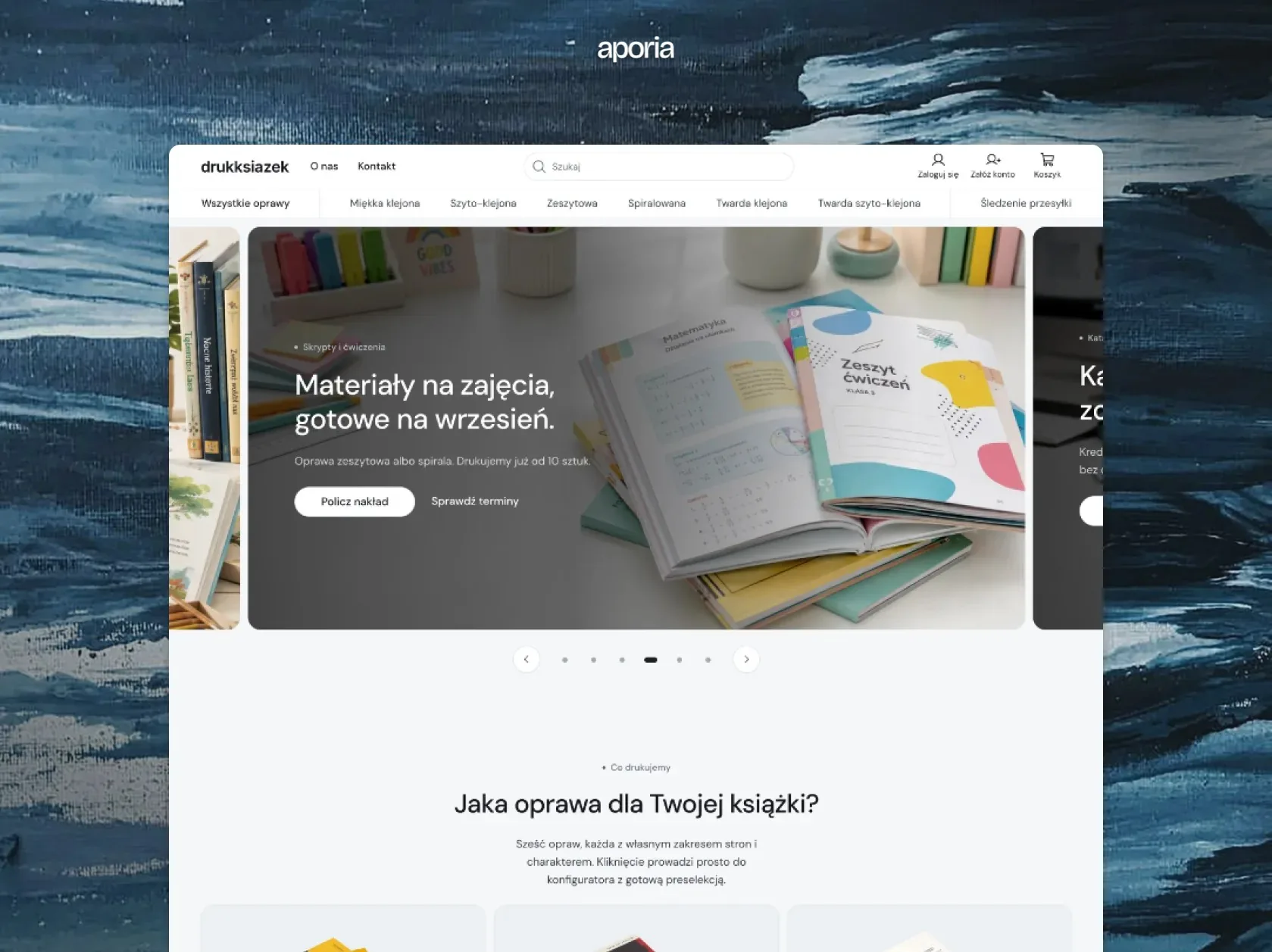
Home page of the store with a hero slider and the start of the bindings section
Fig. 15Home page.
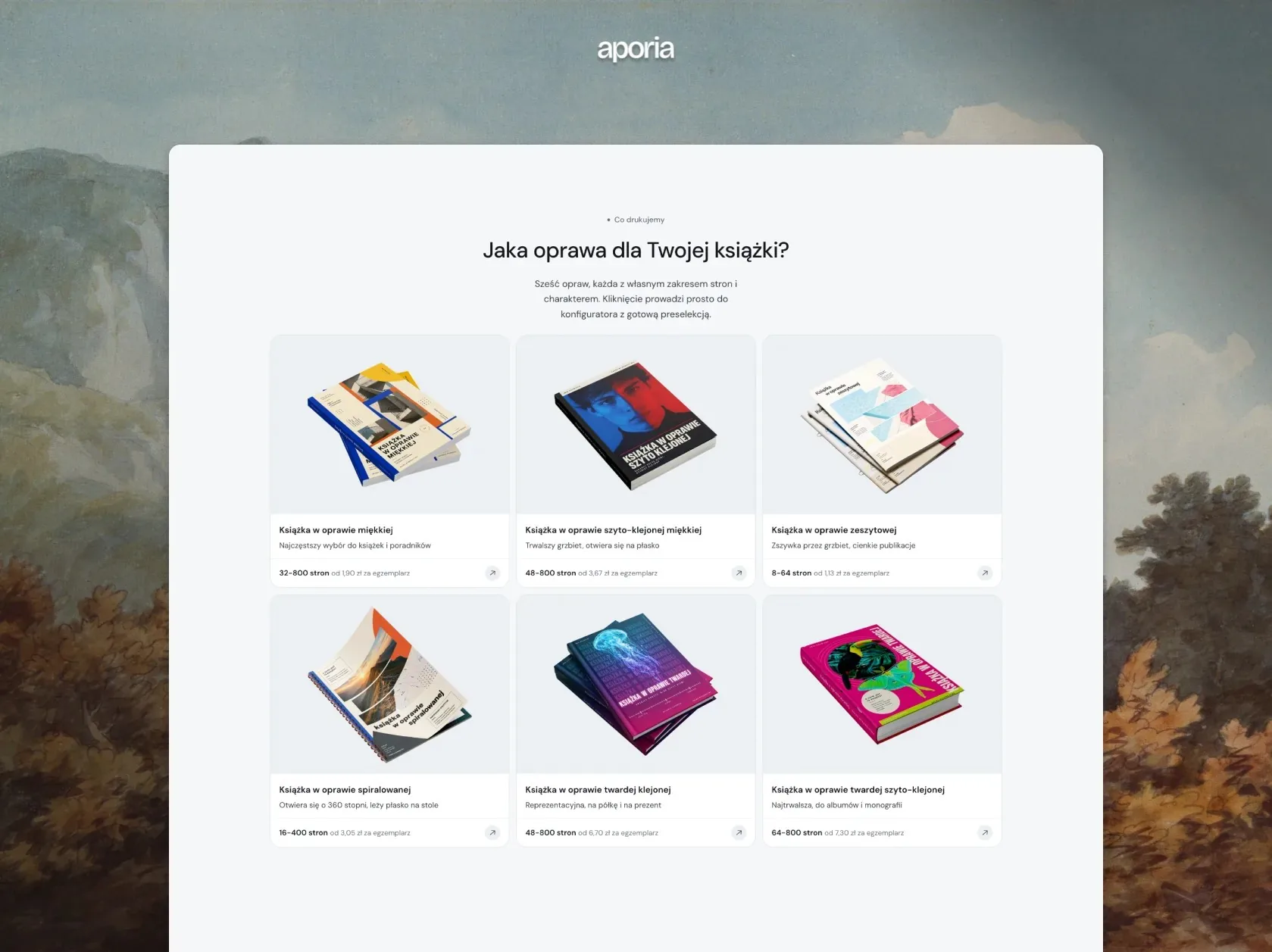
Six binding cards, each with a photo, a page range and a starting price
Fig. 16Six bindings, each with a page range and a starting price.
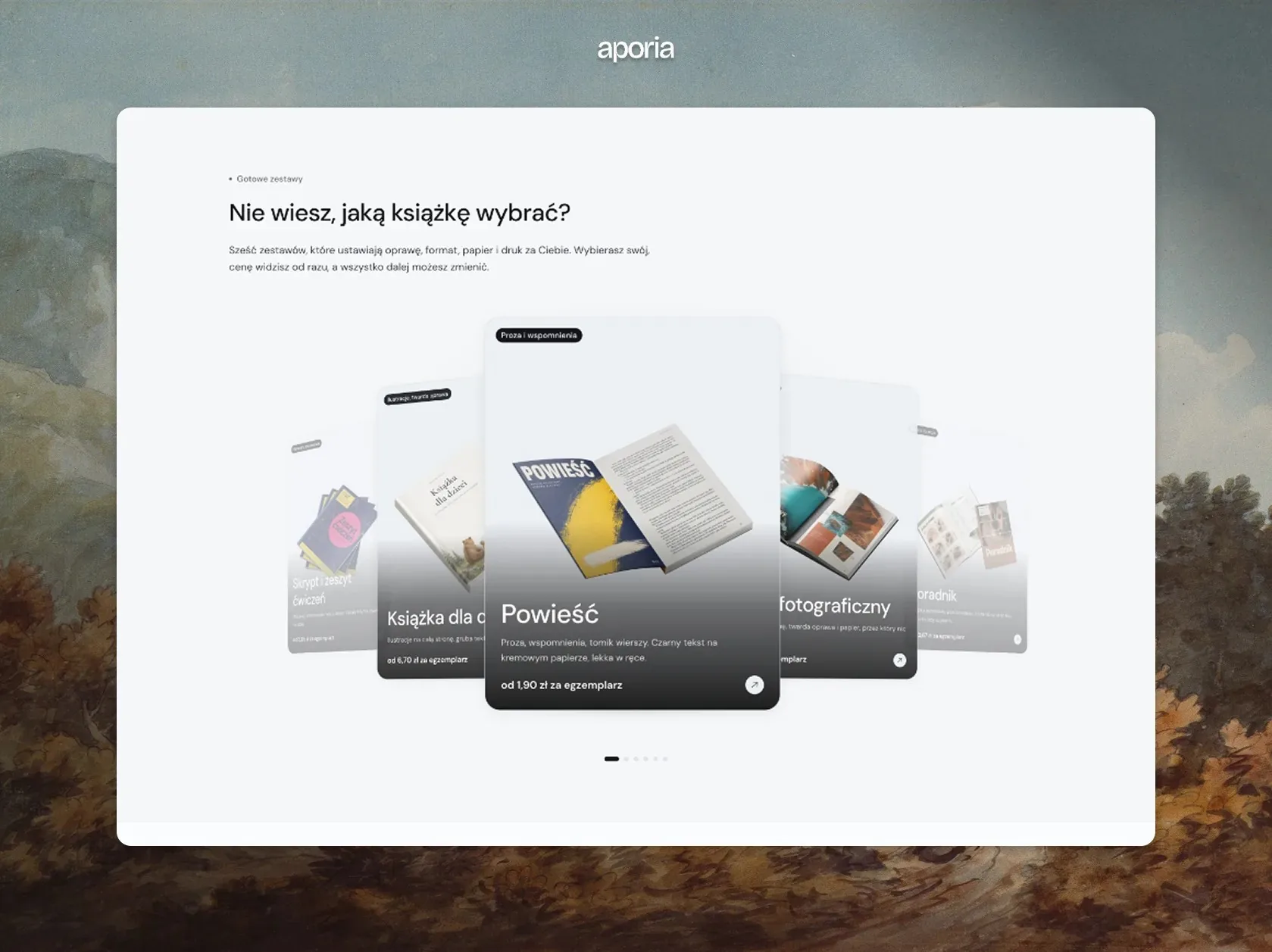
A carousel of book presets, with the novel card in front
Fig. 17A second way in: start from the kind of book.
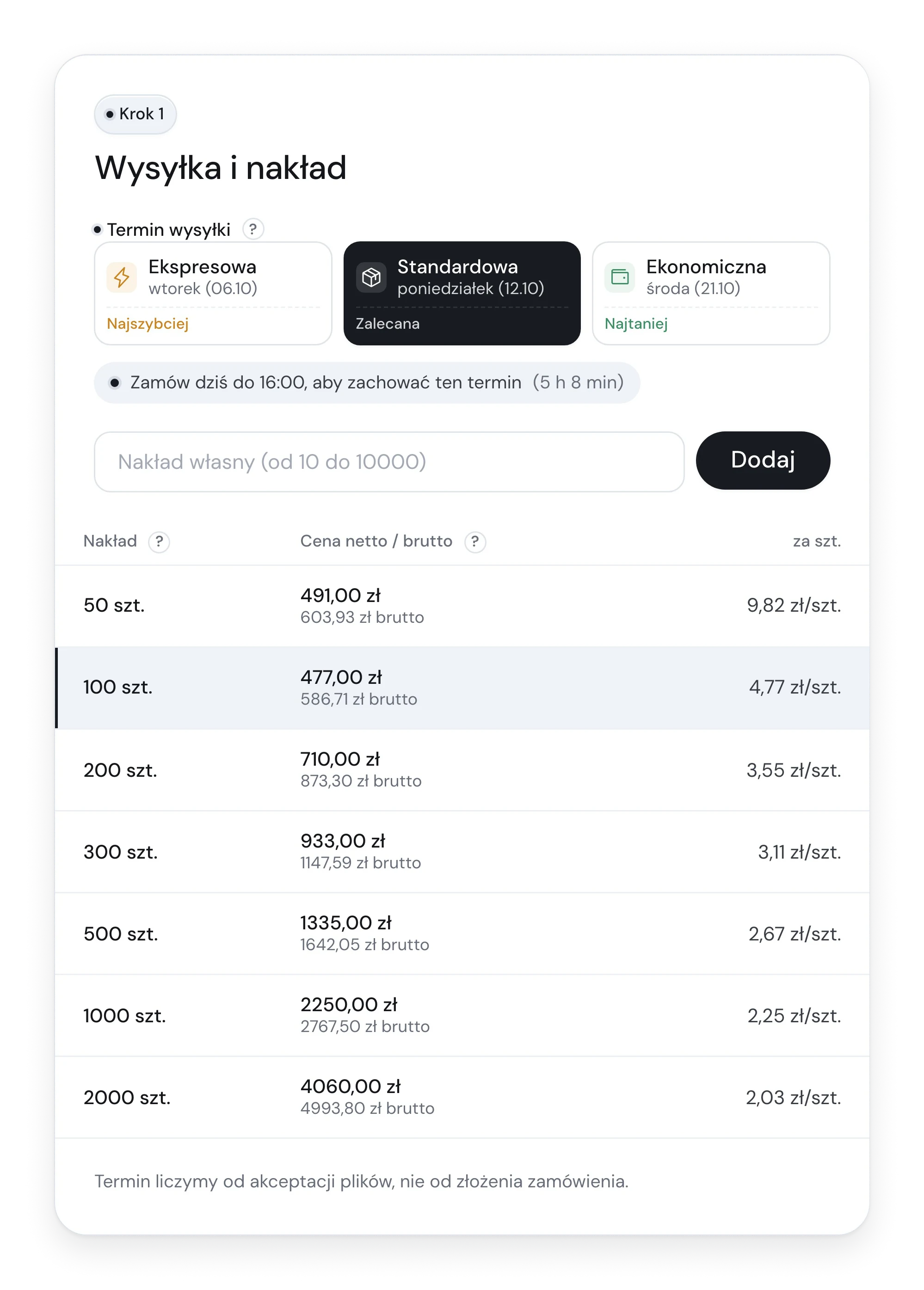
The shipping and print run panel with three shipping dates and a table of seven print runs
DetailPrint run tableSeven print runs with the net, gross and per-copy price show how the unit price drops. Three shipping dates sit above the table: fastest, recommended and cheapest.
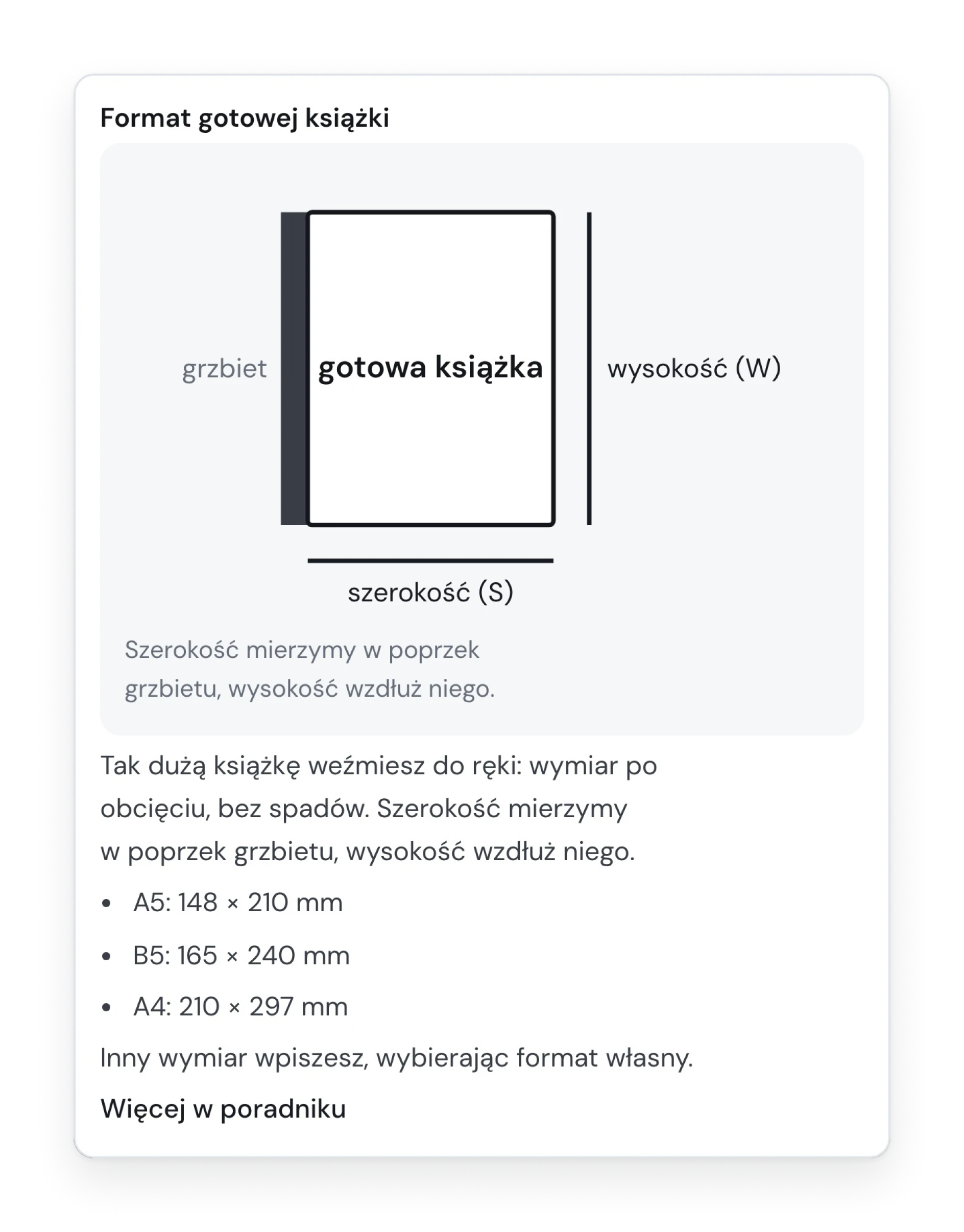
A hint bubble explaining the format of a finished book with a drawing and a list of sizes
DetailHintA question mark by a field opens a short explanation with a drawing and a link. On a phone the hint slides up from the bottom, because a link in a bubble is hard to hit with a finger.
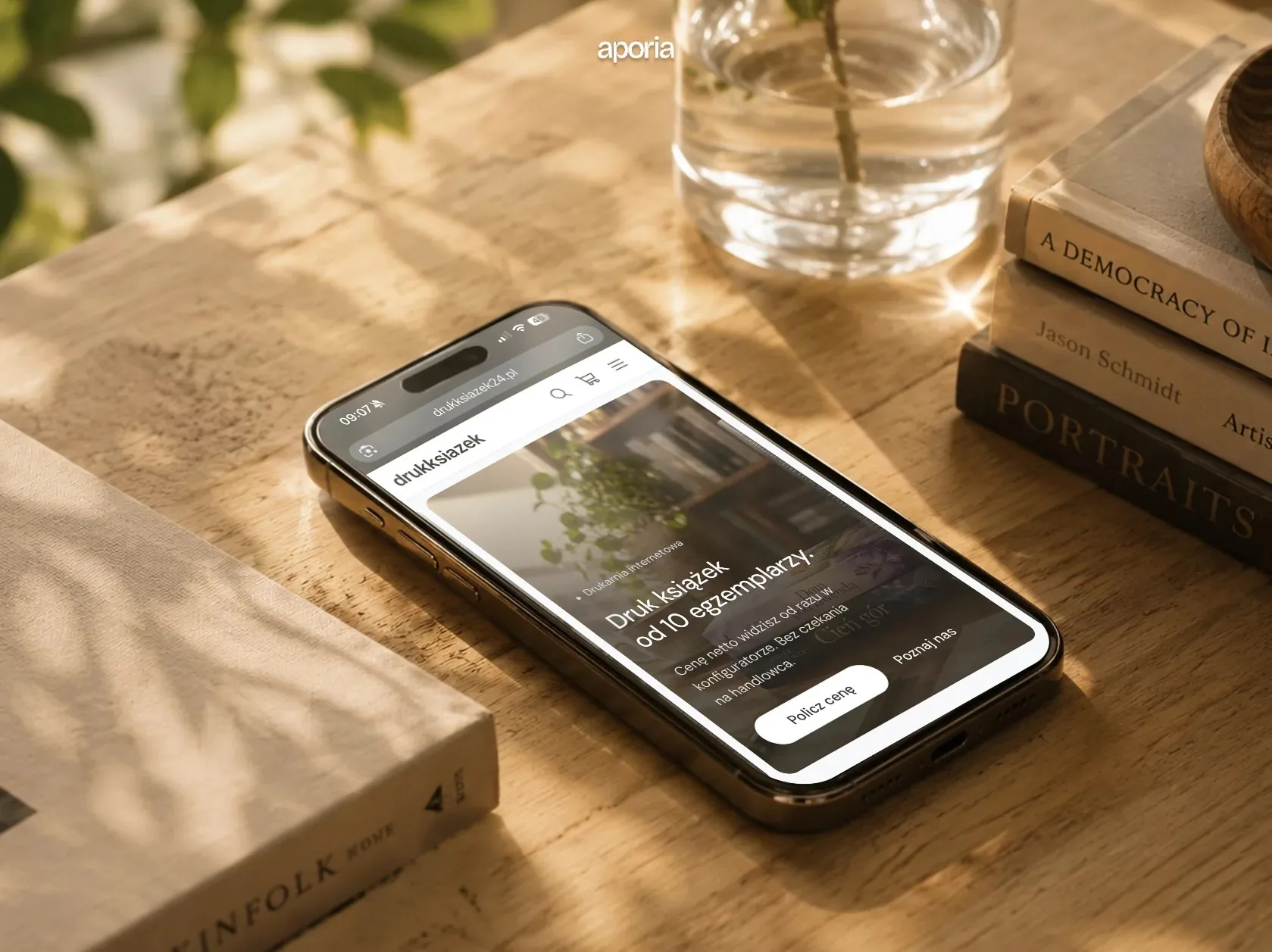
A phone on a wooden table showing the store's home page
Fig. 18The store on a phone.
Two phone screens of the configurator, the product page and step one with the price bar
Fig. 19Configurator at 390 px: the price bar stays at the bottom.
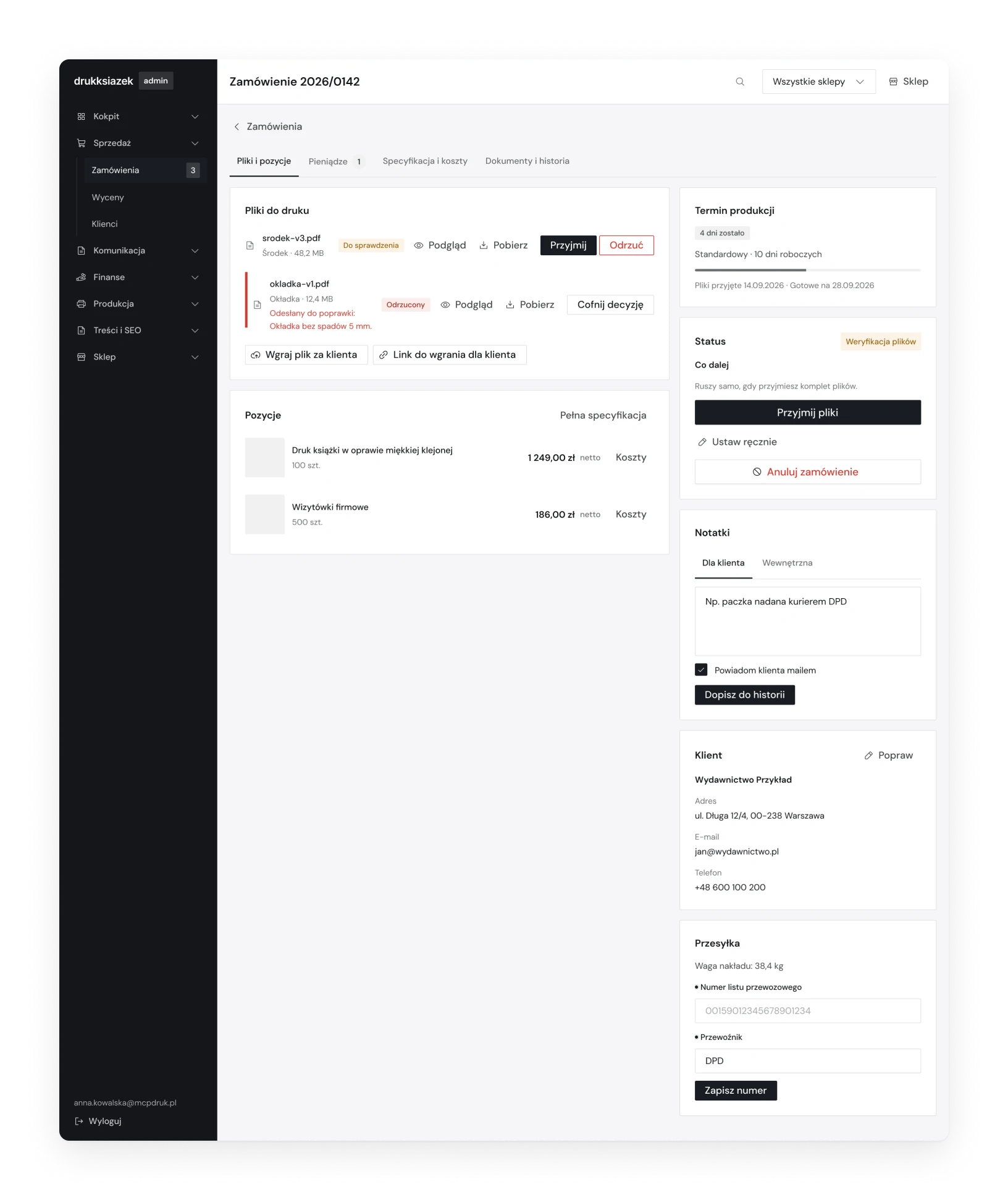
An order in the admin panel with files to check, the production deadline, the status and notes
Fig. 20An order: files to accept or send back, the deadline and the next step.
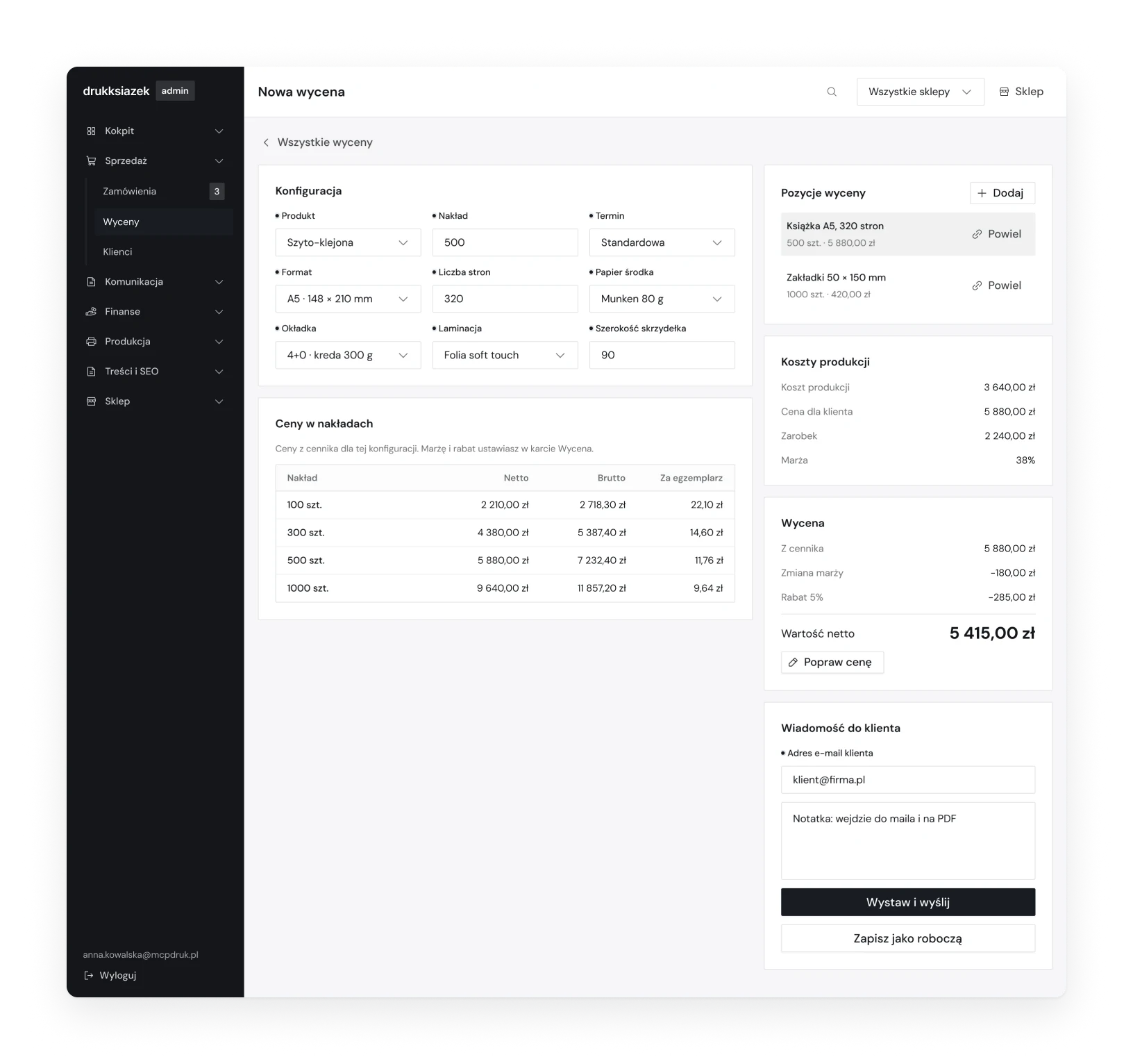
A new quote in the admin panel with the configuration, prices by print run, production cost and margin
Fig. 21A quote: production cost, margin and the price for the client.
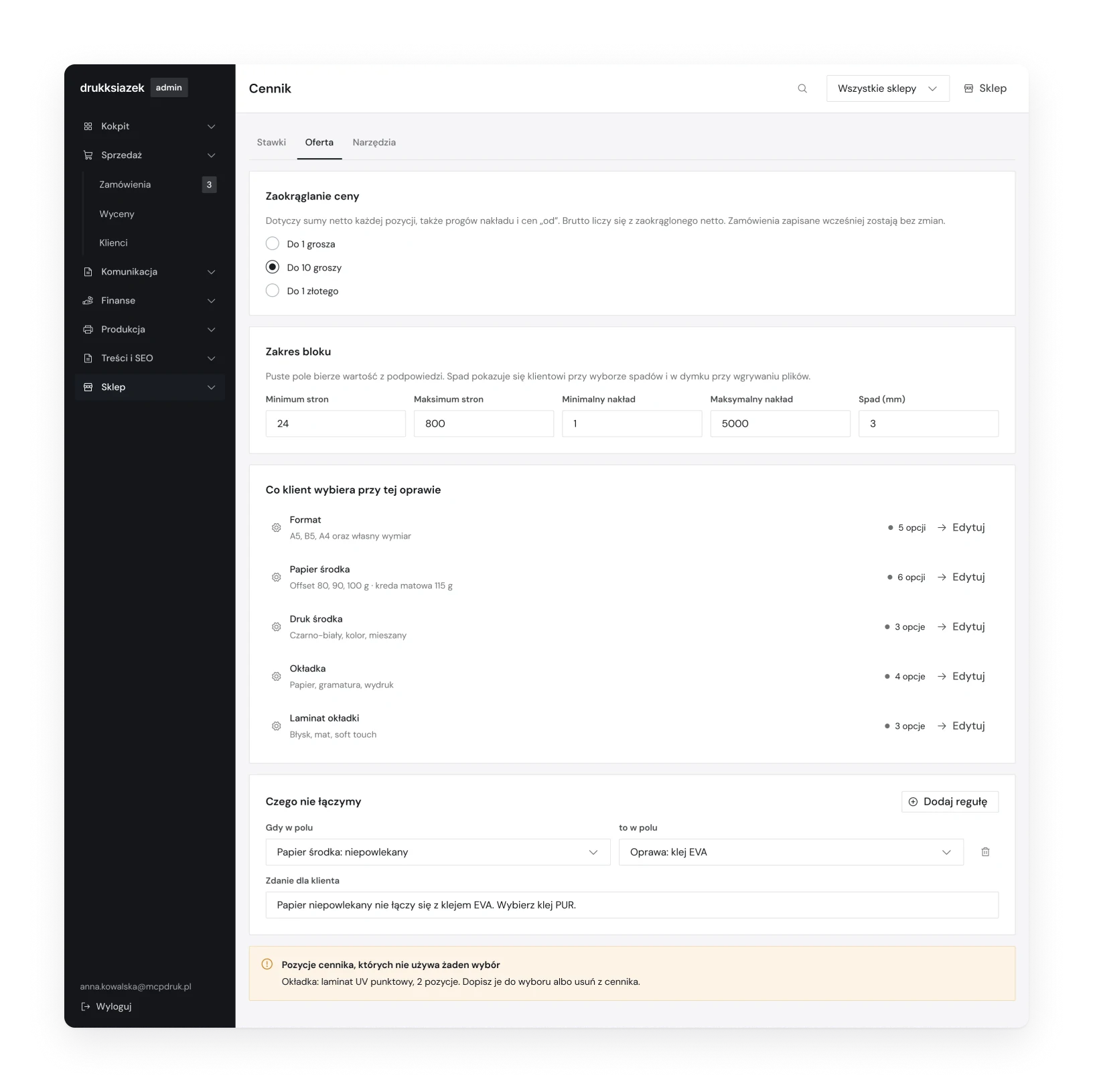
The price list in the admin panel with rounding, limits, what the customer can choose and what cannot be combined
Fig. 22The price list: what the customer can choose and what cannot be combined.

The whole file

  • 79screens
  • 159components
  • 12e-mails
Sixteen desktop screens from the Figma file in five even columns, store screens on the left and admin panel screens on the right
Sixteen screens from the project: the store on the left, the print house panel on the right.

(06)

System

Design system


The store and the panel share the same components, and 21 settings, such as field height and corner radius, set them apart.

Variable collections
CollectionVariablesModes
Primitives58One value
Color66Shop / Panel
Spacing37Desktop / Mobile
Radius9Shop / Panel
Size24Shop / Panel
Typography32Desktop / Mobile
Motion17One value
What changes between the modes
ShopPanel
Button radiusPill2 px
Card radius20 px2 px
Field radius12 px2 px
Field height44 px40 px
Button height42 px40 px
GreysSlate, a little blueNeutral

Typography

DM Sans
Regular / Medium / SemiBold

Components

  • Buttons and badges
  • Forms
  • Navigation
  • Overlays and content
  • Shop: cart, orders, account

In the file

  • 159 components
  • 84 icons
  • 30 text styles
  • 16 effect styles
Component board with buttons, icon buttons and badges in all variants
Fig. 23Buttons and badges: variants, sizes and states.
Component board with form controls and their states
Fig. 24Form controls and their states.

(07)

Result

Outcome

Customers order a book and send their files in three languages, and the print house handles the whole order in one panel.

Delivered

  • Store and configurator for six bindings and six book presets
  • Checkout, file upload, tracking without an account, customer account
  • Panel: orders, files, payments, quotes and a versioned price list
  • Content tools: blog, media library, SEO, city pages and hints
  • Design system in two modes, for the store and for the panel
  • Three shops: Polish, German and French
Next project →02 / 03

Aporia Pro

The Aporia Pro task board in a browser window and on a phone, on an indigo background